AI RFP ANALYST · BUILT FOR TRADE CONTRACTORS
Meet Eva.
From RFP to proposal, in one conversation.
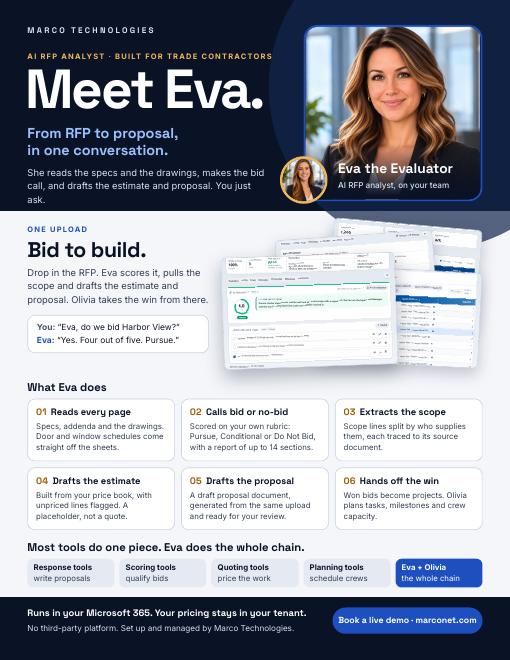
She reads the specs and the drawings, makes the bid call, and drafts the estimate and proposal. You just ask.

JUST ASK
You don't learn new software. You talk to Eva.
You
Eva, a new RFP just came in.Eva
Send it over. I'll read every page, even the drawings.Eva
Then I'll give you a bid or no-bid call, backed by a 14-section report.You
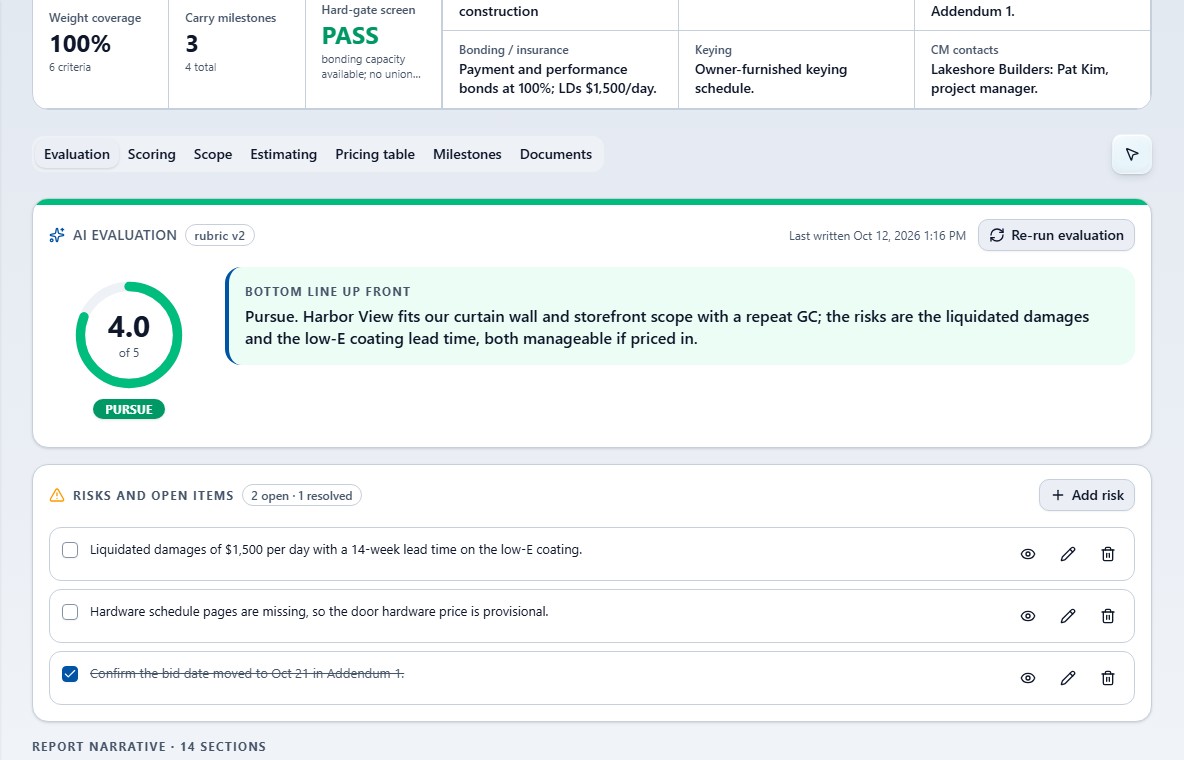
So, do we bid Harbor View?Eva
Yes. Four out of five. Pursue.You
Can you write the proposal?Eva
Already drafted. Scope, estimate, and proposal, ready for your review.Eva
I work right inside your Microsoft 365. Just ask.
ONE UPLOAD
Bid to build.
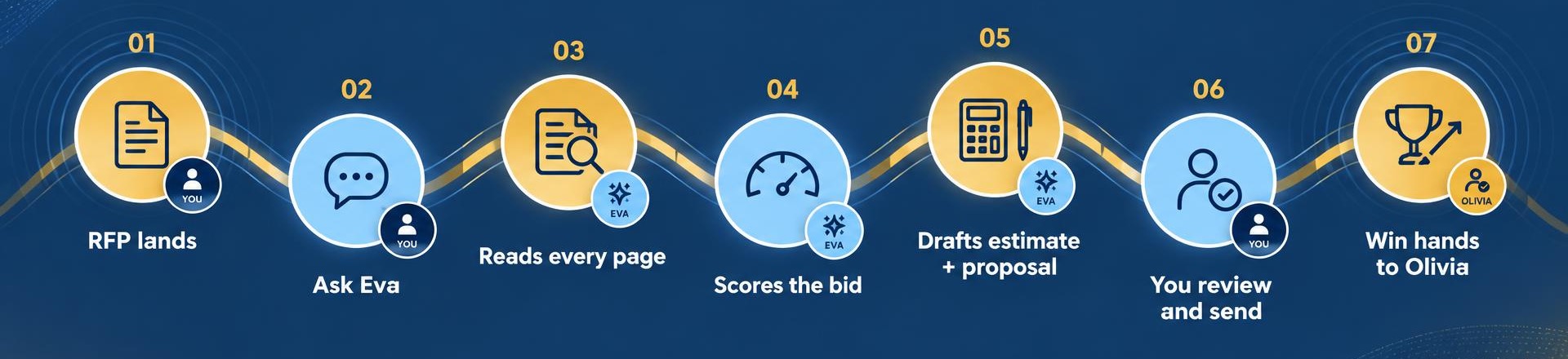
Drop in the RFP. Eva scores it, pulls the scope and drafts the estimate and proposal. Olivia takes the win from there.
01
Reads every page
Specs, addenda and the drawings. Door and window schedules come straight off the sheets.
02
Calls bid or no-bid
Scored on your own rubric: Pursue, Conditional or Do Not Bid, with a report of up to 14 sections.
03
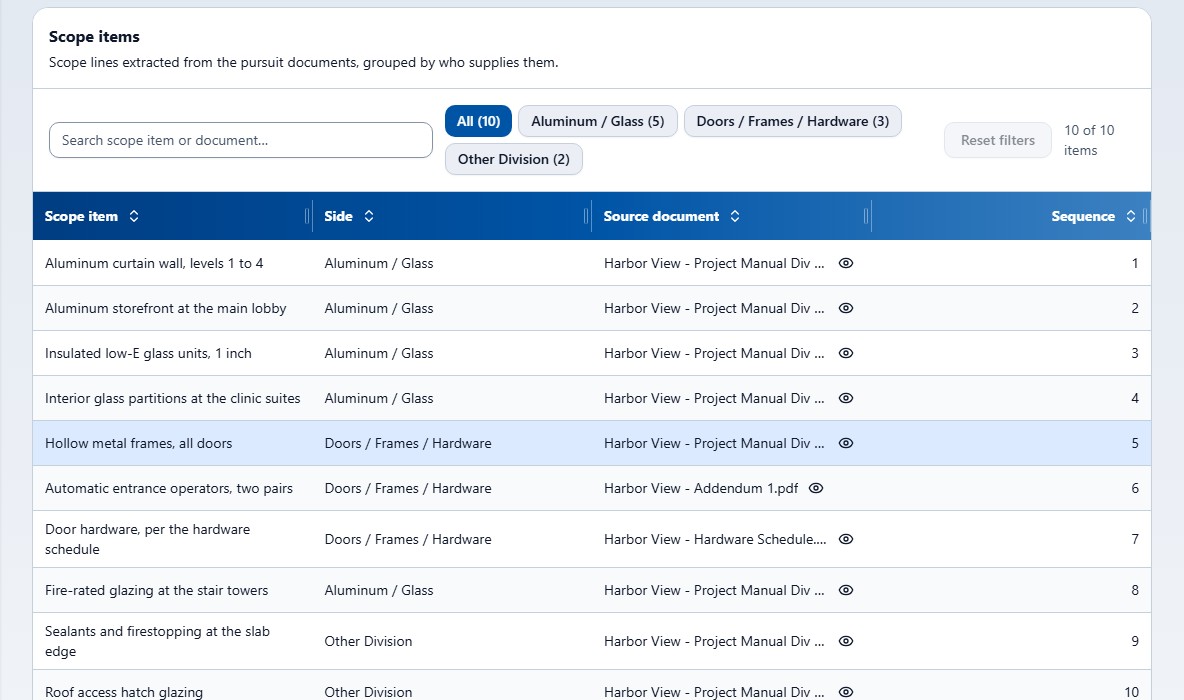
Extracts the scope
Scope lines split by who supplies them, each traced to its source document.
04
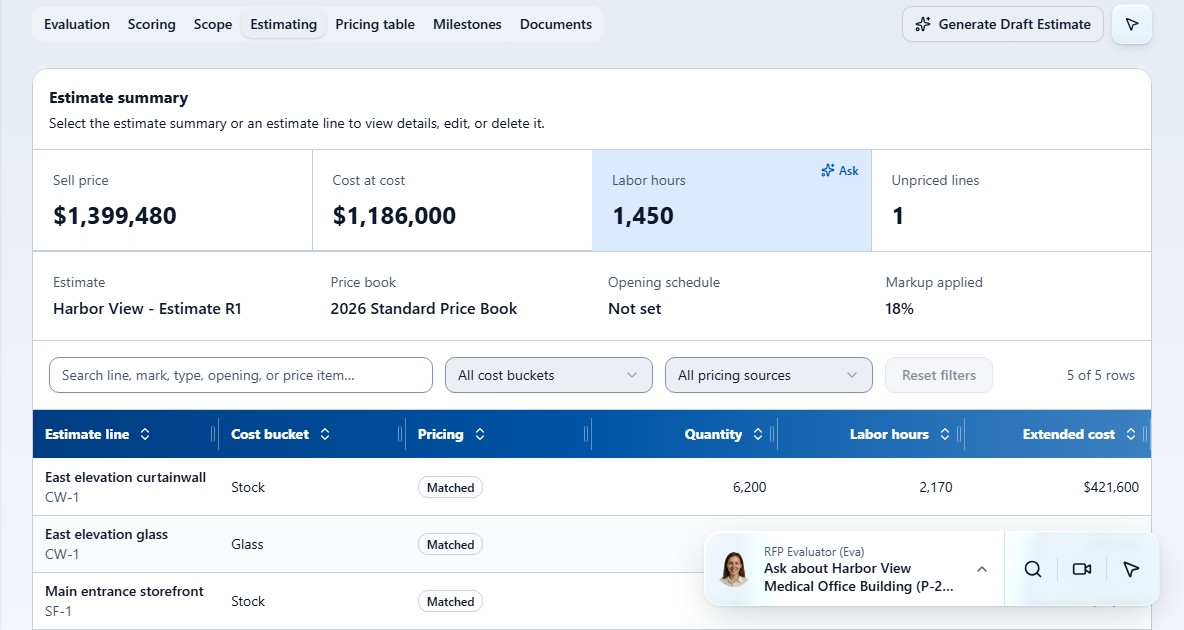
Drafts the estimate
Built from your price book, with unpriced lines flagged. A placeholder, not a quote.
05
Drafts the proposal
A draft proposal document, generated from the same upload and ready for your review.
06
Hands off the win
Won bids become projects. Olivia plans tasks, milestones and crew capacity.
1–3 min
typical evaluation time, running on its own
Up to 14
sections in every report
75 MB
per file: PDF, Office, image and email
3 bands
Pursue, Conditional, Do Not Bid
HOW EVA IS DIFFERENT
Most tools do one piece. Eva does the whole chain.
The same bid with other software takes five kinds of tool. With Eva and Olivia it takes one conversation.
| Step | Bid-scoring tools | Takeoff tools | Estimating tools | Response tools | Planning tools | Eva + Olivia |
|---|---|---|---|---|---|---|
| Read the drawings | – | Yes | – | – | – | Yes |
| Bid or no-bid score | Yes | – | – | – | – | Yes |
| Scope and risk | Risk flags | Quantities | – | – | – | Yes |
| Crew capacity before bidding | – | – | – | – | – | Yes |
| Estimate | – | – | Yes | – | – | Draft |
| Proposal | – | – | – | Yes | – | Draft |
| Addendum changes | – | Drawings | – | – | – | Yes |
| Won bid becomes a project | – | – | – | – | Yes | Yes |
Tool categories, not specific products, based on Marco's market review, November 2026.
CASE STUDY · DEMONSTRATION BID
One bid. One conversation.
Harbor View Medical Office Building, an RFP from Lakeshore Builders, due October 21, 2026. Before anyone prices it, the owner needs to know whether it is worth bidding, what is in scope, what to charge, and whether the crew has the hours.
4.0 / 5
Pursue, on the contractor's own rubric
10
trade scope lines, about 1,450 field hours
+70 hours
Addendum 1: install hours 1,450 to 1,520
5 → 1
tool categories for the same bid
- 01
Read. Bid documents and drawings, including door and window schedules.
- 02
Decide. 4.0 out of 5: Pursue, backed by a report of up to 14 sections.
- 03
Scope and risk. 10 scope lines, field hours, open items and missing documents.
- 04
Staff. The crew has room from March, against 160-hour months.
- 05
Price. A draft estimate from the price book. A placeholder, not a quote.
- 06
Propose. A draft proposal, ready for the team's review.
- 07
Adjust. Addendum 1 arrives and install hours are updated.
- 08
Build. Olivia turns the won bid into a project with milestones and tasks.
Demonstration bid, not a measured customer result. Eva recommends; your team decides.
ESTIMATOR CALCULATOR
What is your estimators' time worth?
The first read of an RFP is hours of an estimator's time before anyone knows whether the job is worth bidding. Eva does that read, so your people spend their time on pricing and judgment.
Your number. 75 is only a starting placeholder.
55
hours back every month
about 660 hours a year
$4,125
of estimator time a month
$49,500
a year
16.5
working weeks a year, at 40 hours a week
10 × (6 − 0.5) = 55 hours a month · 55 × $75 = $4,125
Example only, not a measured customer result. Volume, reading time, review time and hourly cost are your assumptions. The dollar figure is the value of estimator time freed for pricing and judgment, not a price or a guaranteed saving. Eva's evaluation itself typically runs in 1 to 3 minutes, unattended.
Book a live demoEarlier no-bid calls
Know which jobs to walk away from before time goes into the wrong bid.
Risks flagged up front
Open items and missing documents are listed with every evaluation.
Capacity before you bid
Ask whether the crew can staff the job if you win it.

Olivia
AI project manager, on your team
AND WHEN YOU WIN
Meet Olivia.
Eva wins the bid. Olivia plans the work.
She turns won bids into projects, tracks tasks and milestones, and shows whether your crew has the hours.
Picks up the win
Won pursuits become projects, with their milestones carried over.
Plans the work
Projects, milestones and tasks, kept together in one plan.
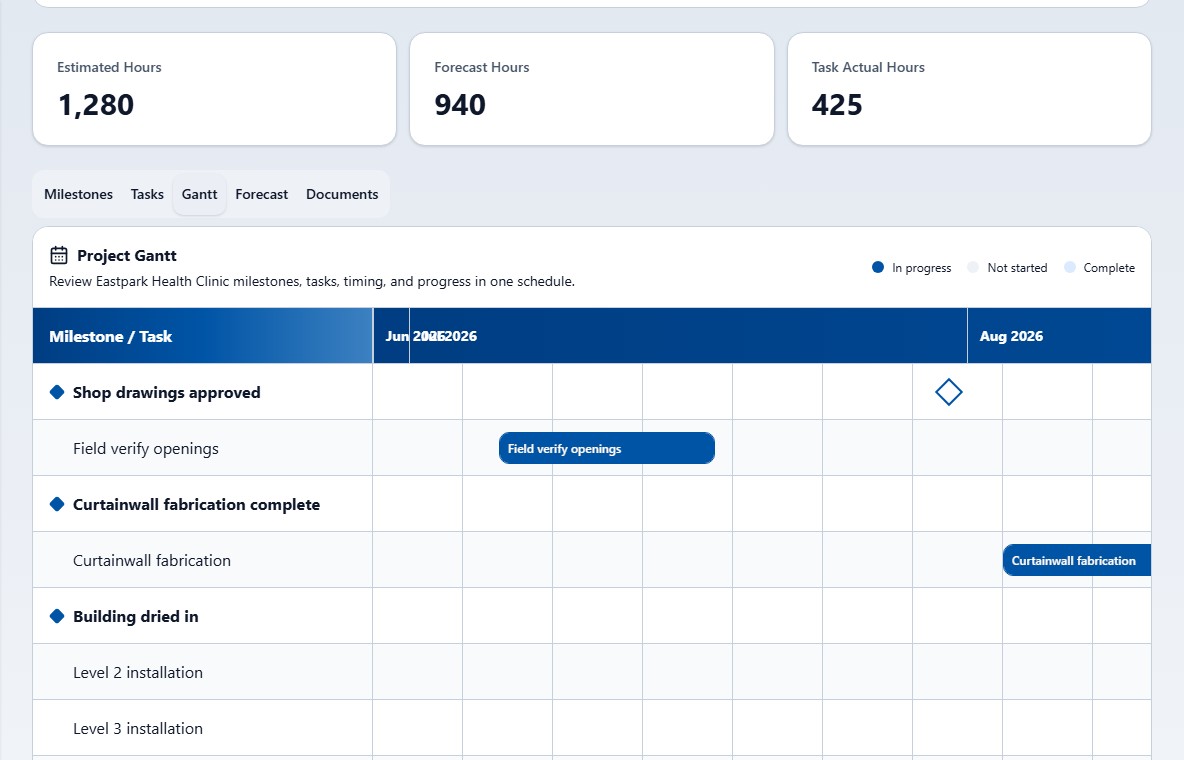
Shows the timeline
A Gantt view of every project and its milestones.
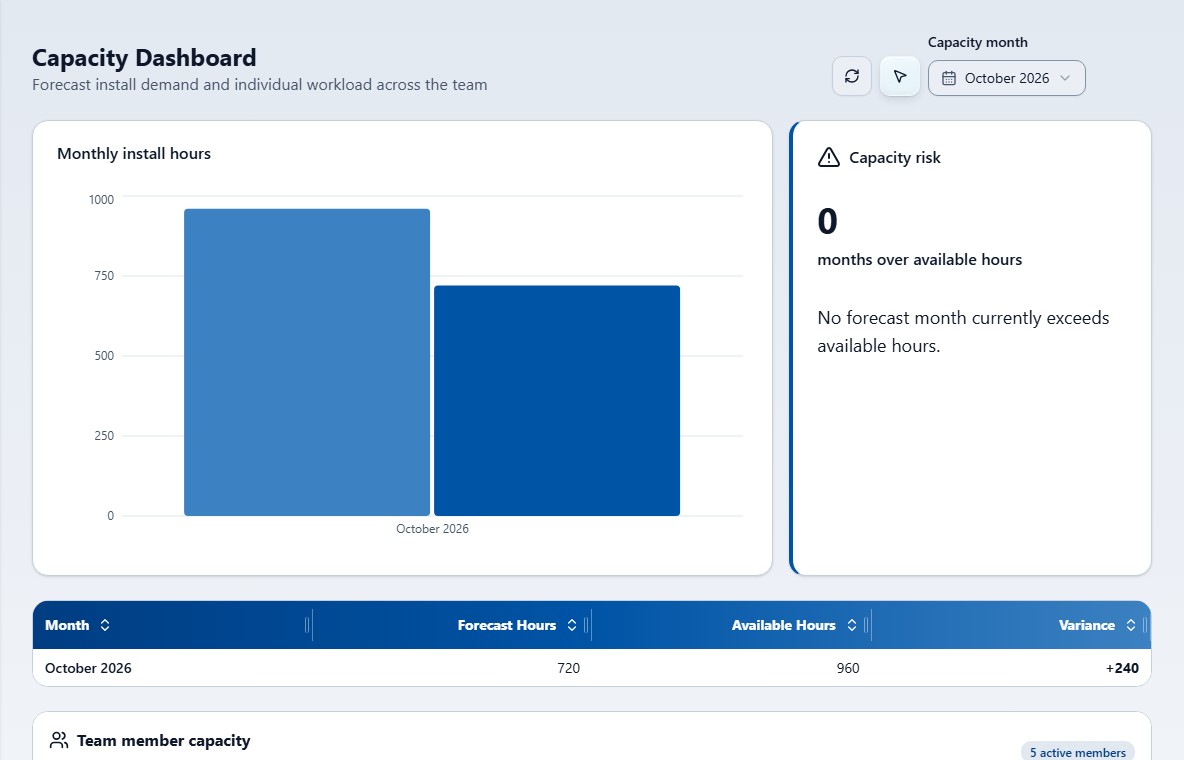
Forecasts install hours
Monthly install-hour forecasts across your projects.
Watches crew capacity
Team capacity measured against 160-hour months, so overloads show early.
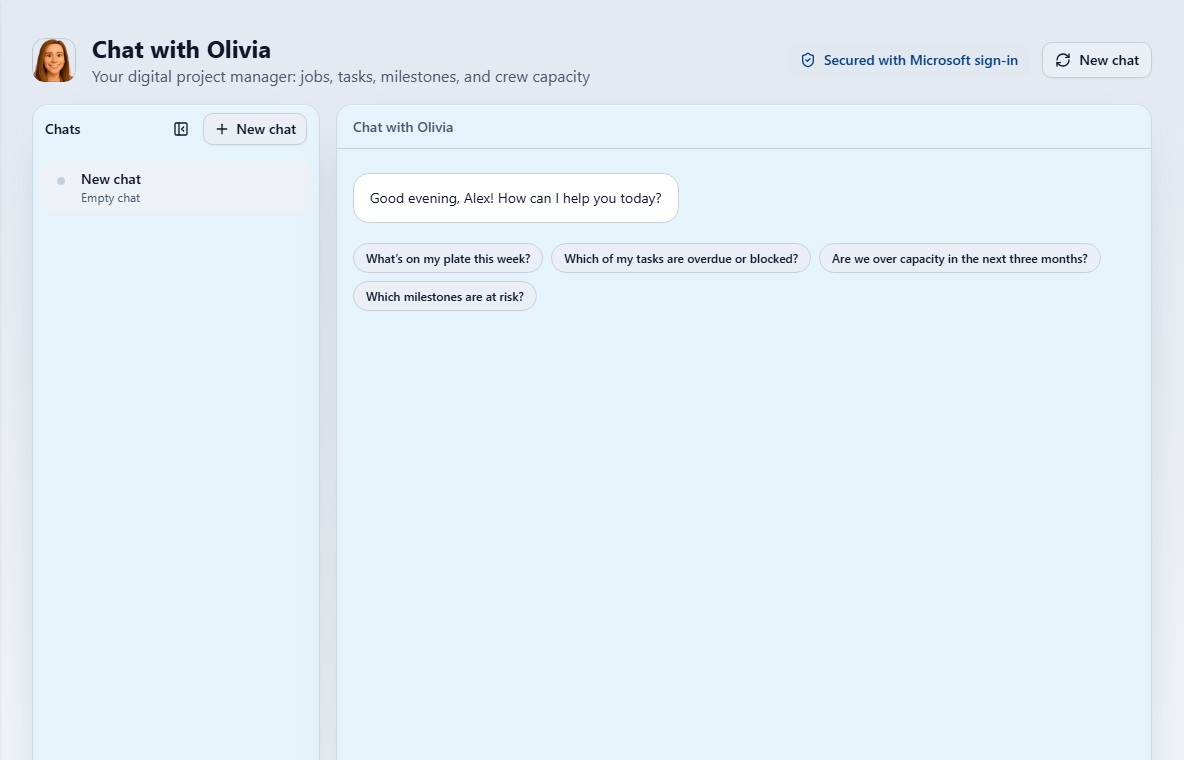
Answers where you work
Ask in the app, in Microsoft Teams or in Copilot.
Just ask Olivia
It lives in your ecosystem.
There is no third-party platform to sign into. Eva and Olivia run inside your own Microsoft 365 tenant, behind your Microsoft sign-in. Your bid documents, pricing and margins stay in your environment.
Your tenant
Runs in your own Microsoft 365.
Your sign-in
Secured with Microsoft sign-in.
Managed for you
Marco sets up your rubric and price book with you and manages it.
See Eva at work.
Meet Eva
0:30
Eva and Olivia
1:00
A working session with Eva
2:56
FAQ
What is Eva?
An AI RFP analyst for trade contractors. She reads bid documents and drawings, recommends bid or no-bid, and drafts the estimate and the proposal.
Who is Olivia?
Your AI project manager. She turns won bids into projects and tracks tasks, milestones, install hours and crew capacity.
What files can Eva read?
PDF, Office, image and email files, up to 75 MB each. That includes drawing sheets, where she reads door and window schedules.
How long does an evaluation take?
Usually 1 to 3 minutes. It runs on its own while you do something else.
How does the score work?
Each RFP gets a weighted score out of 5 on your own rubric, with a band: Pursue, Conditional or Do Not Bid.
What is in the report?
A bottom line up front, then up to 14 sections, including a hard-gate screen, trade scope, hours, pricing, schedule and scope exclusions.
Does Eva make the decision?
No. Eva recommends and your team decides. When she proposes a change to a record, a person confirms it first.
Is the estimate a quote?
No. It is a draft built from your price book, with unpriced lines flagged. The proposal is a draft for your review as well.
Where does our data live?
In your own Microsoft 365 tenant. Your pricing and margins stay in your environment, and there is no third-party platform to sign into.
How do we talk to Eva?
By chat or by voice, in the app. She can see the screen you are on, and her answers cite their sources. Olivia also works in Microsoft Teams and Copilot.
How do we get started?
Book a 30-minute live demo. We show Eva on a sample RFP, then on one of yours.
Add Eva to your team.
30 minutes. We show Eva on a sample RFP, then on one of yours.